It is common to cantilever diaphragms for larger buildings. LAVA can distribute the loads to one support line. Here’s the method you would use to create a cantilevered diaphragm.
Special Design Provisions for Wind and Seismic (SDPWS) 4.2.5.2 permits the use of cantilever diaphragms, with a number of restrictions on the dimensions. LAVA is capable to model cantilever diaphragms; however, it is up to the user to make sure the restrictions on diaphragm dimensions are followed.
Similar to Plates, Diaphragms also have two supports: Support 0 and Support 1. Please see the screenshot below showing a diaphragm element in Y direction.
.png "image(367).png")
The subtle orange dotted lines on the left and right of the diaphragm indicate the location of support, and link margins. Shear Line elements must be modeled to interact with the diaphragm supports within the link margin:
.png "image(371).png")
Cantilever dimension can be introduced in Diaphragm Design dialog, Definition tab:
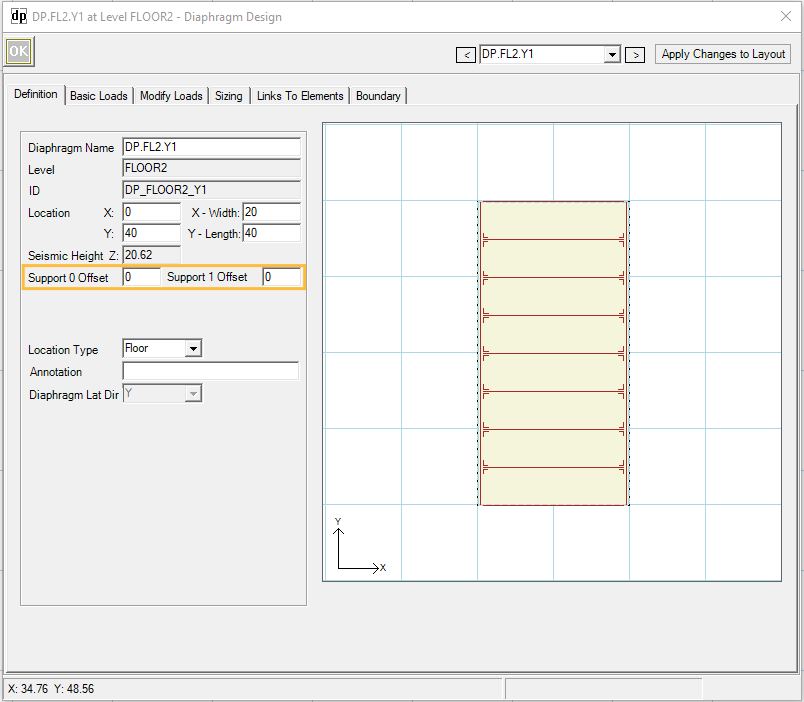
Support 0 Offset can be used to assign cantilever length at top or left of diaphragm; Support 1 Offset can be used to assign cantilever length at bottom or right of diaphragm.
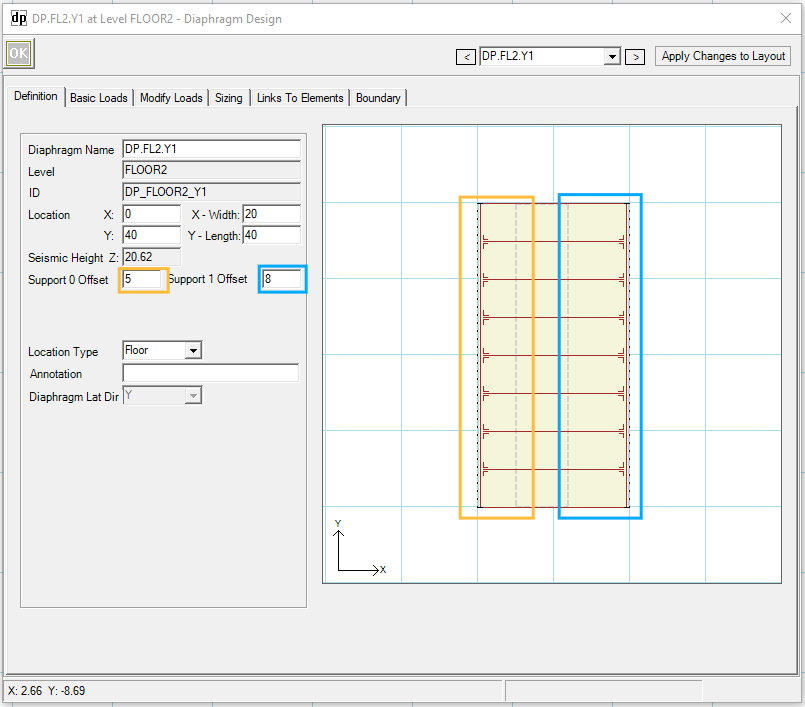
Accordingly, Shear Line elements must be relocated to interact with the diaphragm supports within the link margin:
.png "image(372).png")
Alternatively, you can also simply assign offset length to be the entire width or length of the diaphragm:
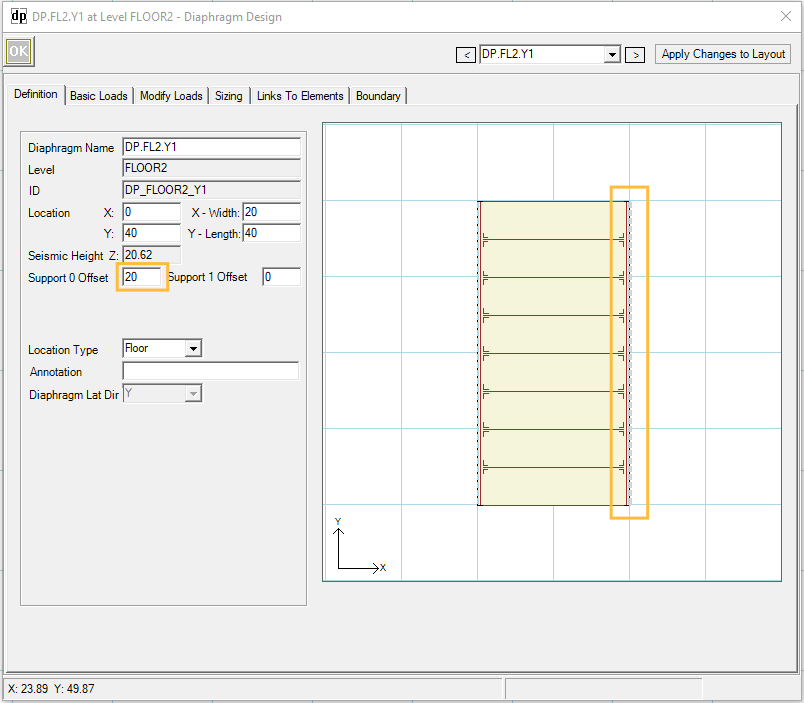
This will match the ‘Open Front’ diagram in SDPWS Fig.4A (C). The Shear Line element must be adjusted accordingly, see screenshot below. In this case, Shear Line 1 will be subject to all shear loads generated by this diaphragm.
.png "image(373).png")