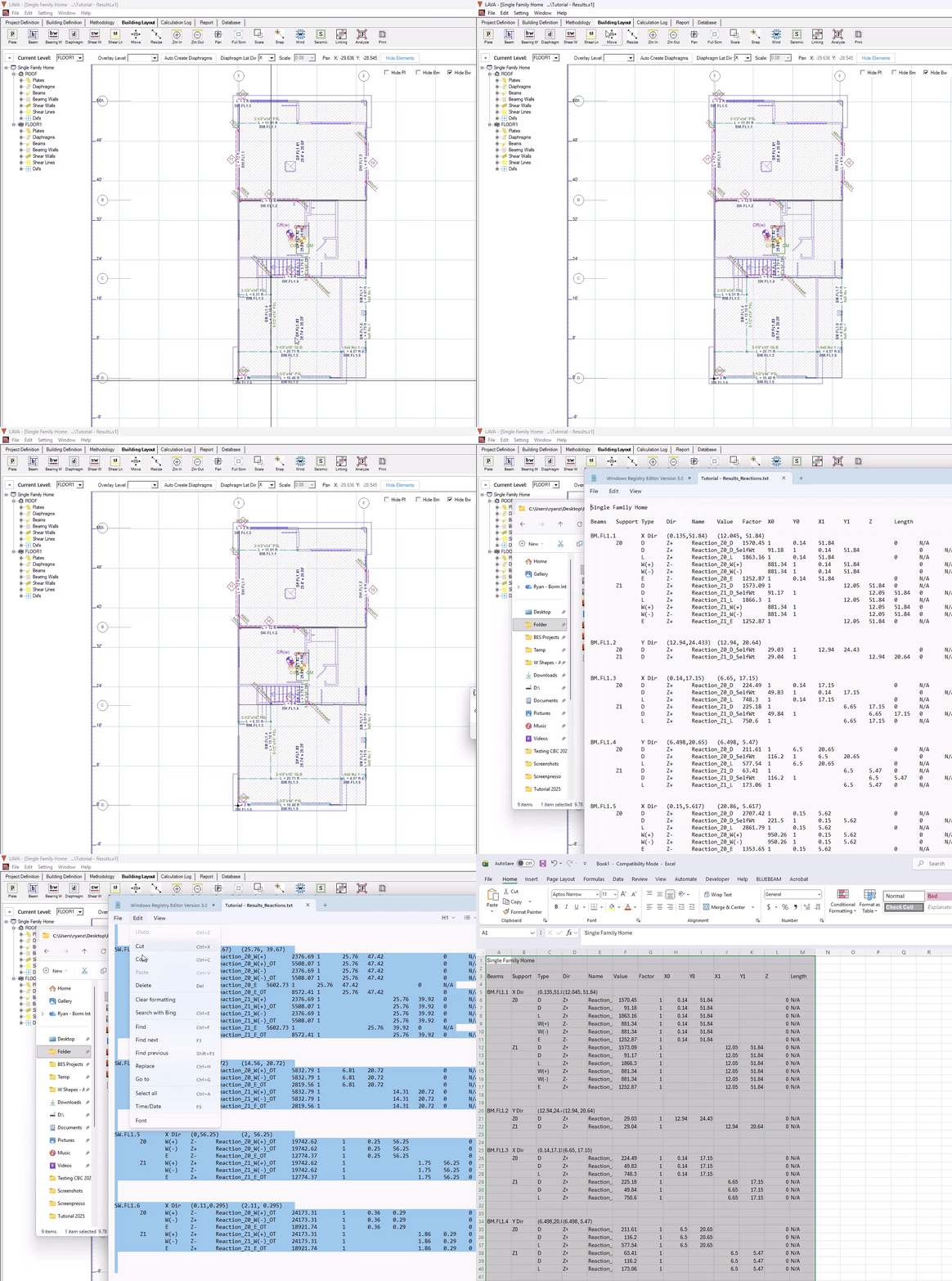
Beyond the Report, there are other tools you can use to export your information from LAVA. Please continue working with the tutorial file that we have been creating together, or download here:
Exporting the Model to DXF
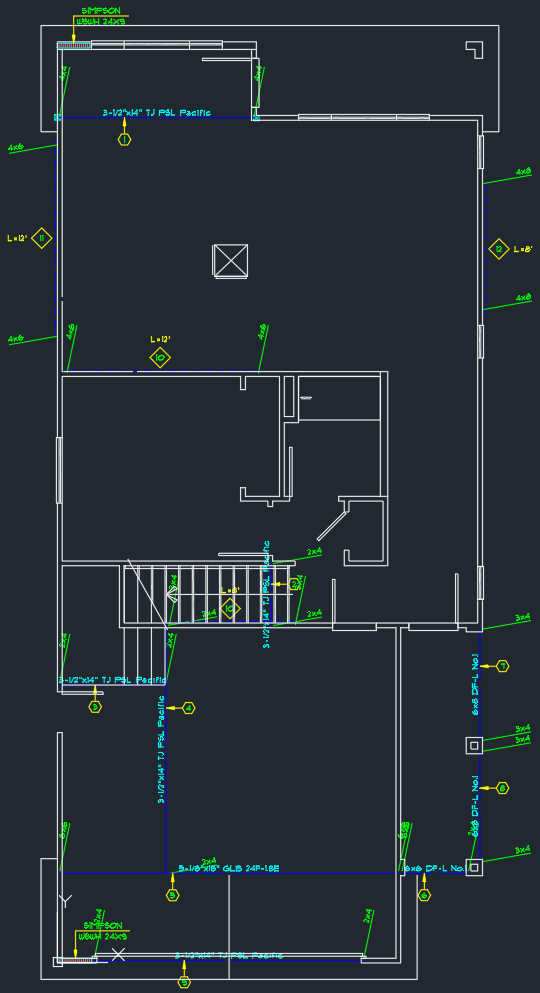
LAVA can export the structural elements including the background to DXF files, which can be easily viewed and edited with various CAD programs, for the purposes of drafting or coordination.
Before exporting the model, please make sure the models are correct, and with no outstanding errors. When the model is ready, follow the steps below.
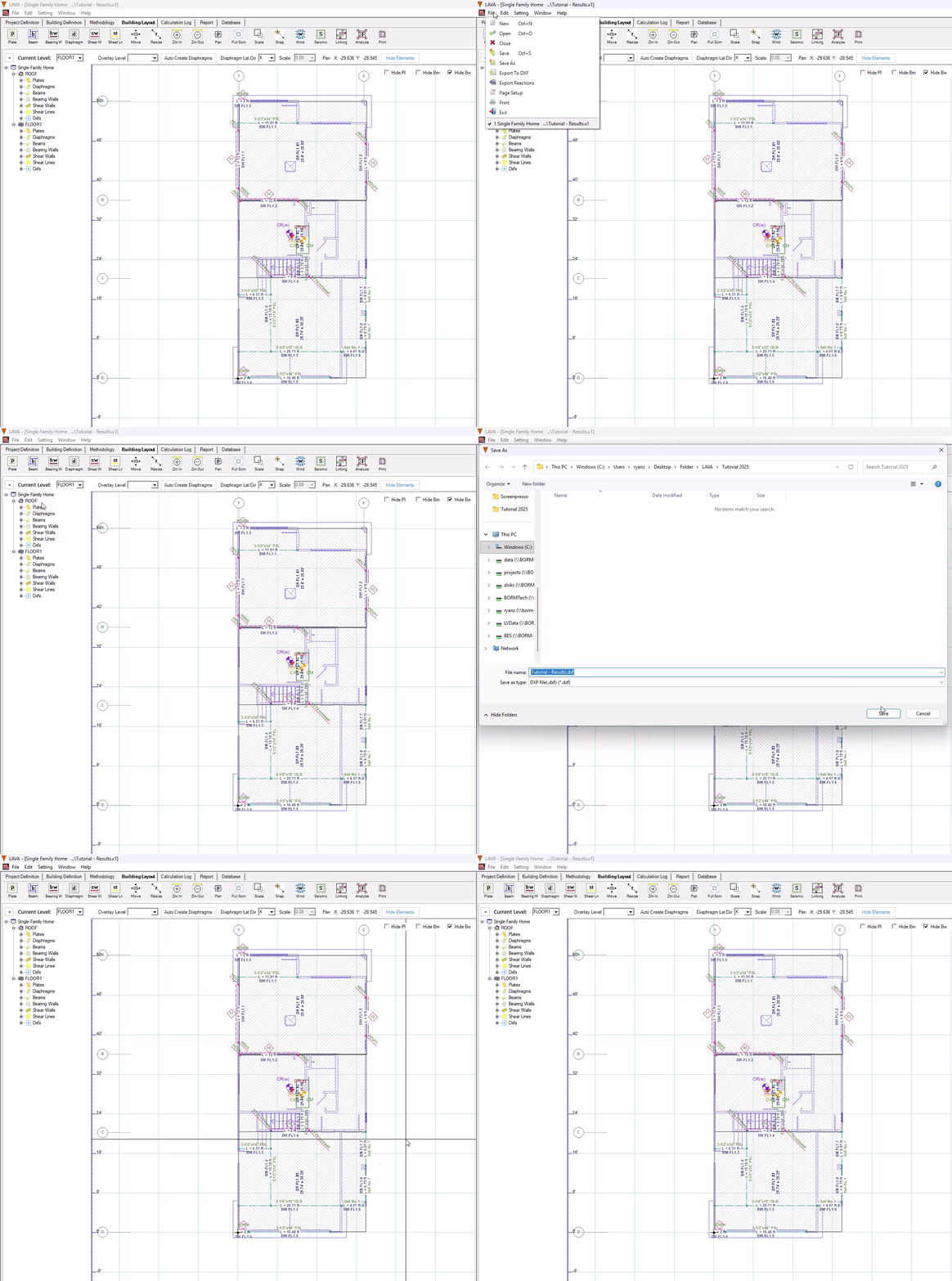
Go to menu ‘File’, and select ‘Export to DXF’
Select location to save the DXF files. LAVA will generate separate files for each level. In this tutorial, there will be two files, one is for ROOF, the other is for FLOOR1
Type in file name
Click ‘Save’
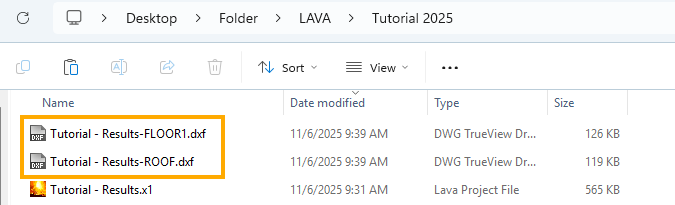
LAVA will generate one DXF file for each level. For the file of this tutorial, there are two files created: ROOF and FLOOR1.
The DXF files have a layer for each type of element:
.png)
For your reference, the exported DXF files are shown below.
ROOF level:
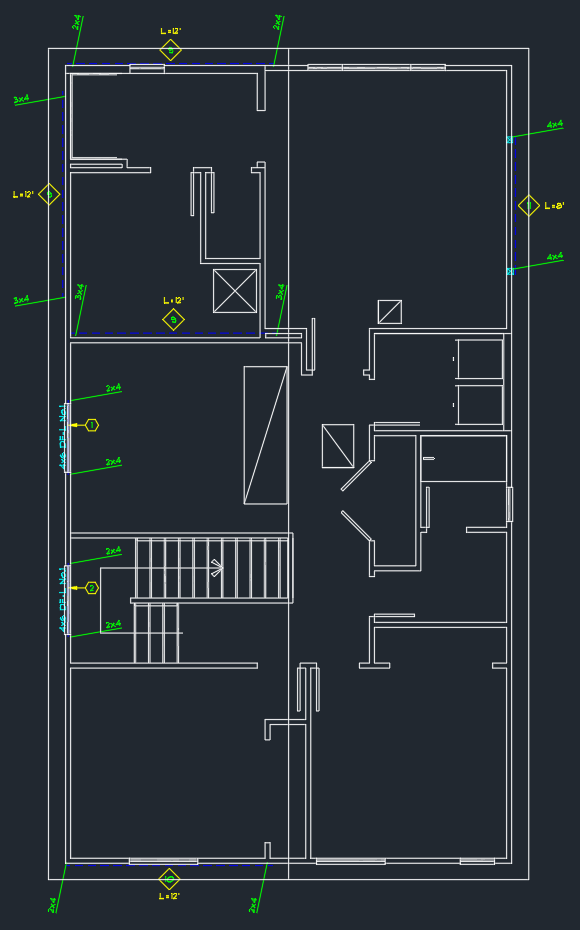
FLOOR1 level:
Exporting Reaction Forces on Foundation
LAVA can export reaction forces (point loads and line loads) to a .txt file, which is also easily compatible with Microsoft Excel. This is very helpful to deliver reaction forces to podium designing team or design the foundation.
Before exporting loads, please make sure bearing walls are / or beams have been modeled correctly at the supporting locations of all plates. When the model is ready, follow the steps below.
Click ‘Analyze’
.png) on Toolbar
on ToolbarClick ‘File’ at menu, and select ‘Export Reactions’
Click ‘Export’
When prompted, click ‘Yes’ to open the folder
Txt file ‘*_Reactions’ is created
If preferred, copy all the content in .txt file, and paste to blank spreadsheet
Or you can open a .txt file directly in Excel.