When designing beams with cantilevers, ASCE 7 require the application of unbalanced loads. These are load conditions where live load is applied asymmetrically to simulate worst-case scenarios. LAVA handles this automatically through the use of load patterns.
How LAVA Handles Unbalanced Loads
LAVA generates load patterns that apply live loads in different unbalanced arrangements across beams, including cantilevers.
Each pattern is analyzed to capture both maximum positive and maximum negative effects.
These values are then carried into the design checks to ensure compliance capacity and deflection checks.
Viewing Load Combinations
To see how unbalanced loads affect a specific beam:
Open the Beam Dialog.
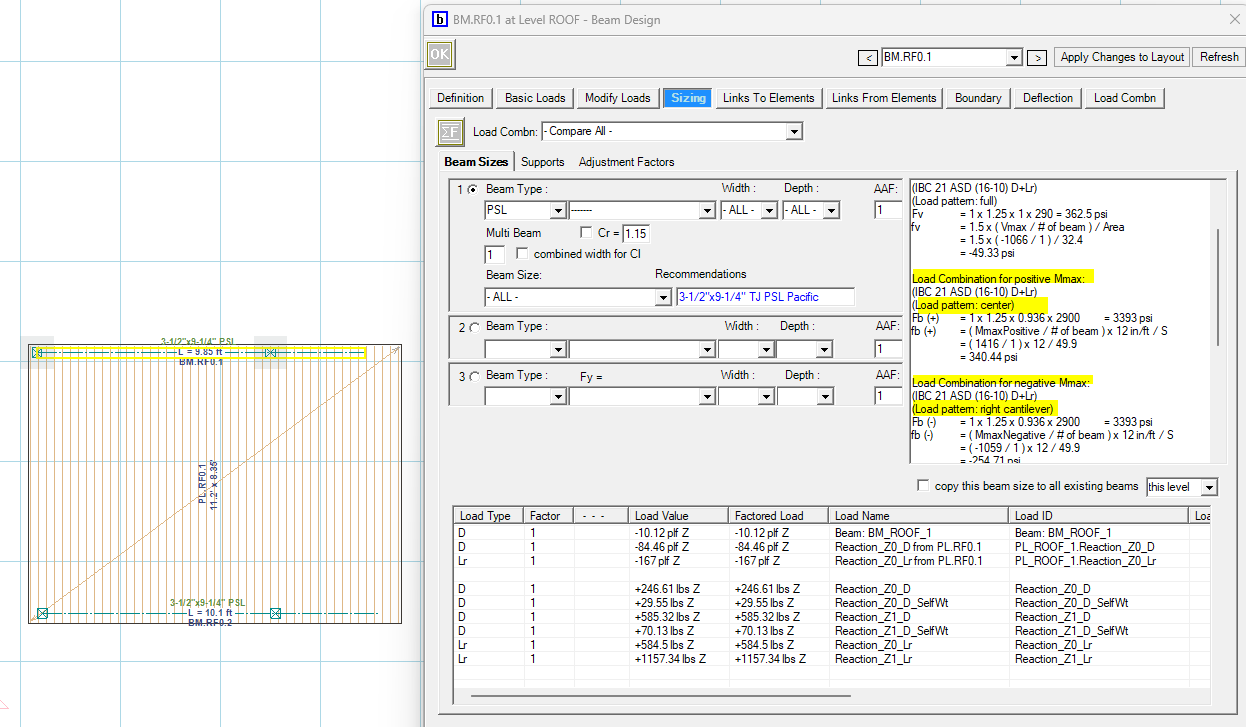
The Load Combinations will show "Compare All”.
The results will list the maximum positive and maximum negative values produced by the various load patterns.
This gives you a direct way to review how cantilevered and unbalanced conditions influence beam behavior.
Using the Calculation Log
For deeper insight into the patterns and calculations behind the scenes:
Go to the Calculation Log.
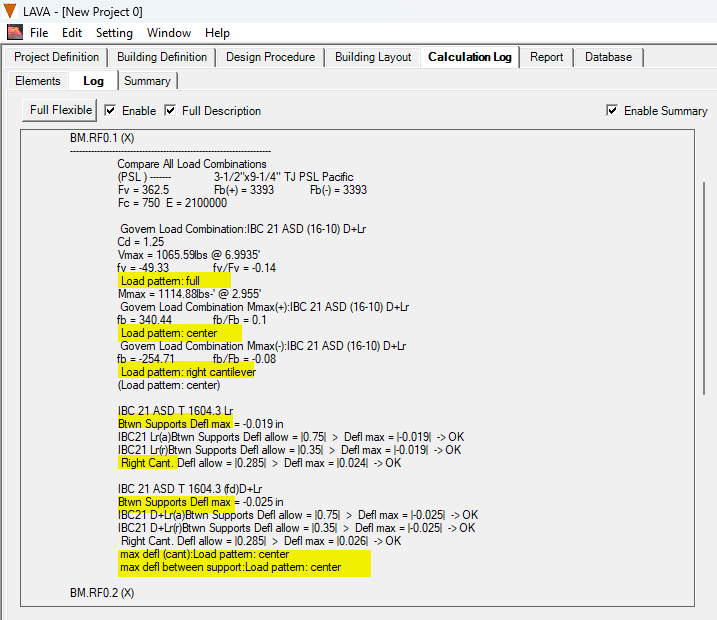
Click Enable and select Full Description.
Return to the Building Layout tab and re-run the analysis.
Back in the Calculation Log, click Full Flexible.
With this option, LAVA displays additional calculations that are not normally shown to save time and memory. This includes details on how different unbalanced load patterns were applied and evaluated. It’s especially useful if you want to trace calculations beyond the summarized beam results.
Summary
Unbalanced loads are automatically applied when you have a cantilever beam in LAVA.
Use the Beam Dialog to quickly review of governing positive and negative effects.
Turn on the Calculation Log (Full Description + Full Flexible) to view detailed background calculations.
These tools ensure you have both a high-level summary and in-depth visibility into how unbalanced loads are applied and checked in your LAVA models.