LAVA can export building plans with the structural elements including the background to DXF files, which can be easily viewed and edited with various CAD programs, for the purposes of drafting or coordination.
Export to DXF
Go to program ‘File’ menu, select ‘Export To DXF’ to activate the command:
.png)
A ‘Save As’ window pops up. You can change to a specific location, and type in a specific file name to save the DXF files. Click ‘Save’.
.png)
A DXF file will be created for each level. In this example, two files are created: one for ROOF level, the other for FLOOR1 level.
Operation
Before exporting the model, please make sure the models are correct, and with no outstanding errors. When the model is ready, follow the steps below.
Go to menu ‘File’, and select ‘Export to DXF’
Select location to save the DXF files. LAVA will generate separate files for each level. In this tutorial, there will be two files, one is for ROOF, the other is for FLOOR1
Type in file name
Click ‘Save’
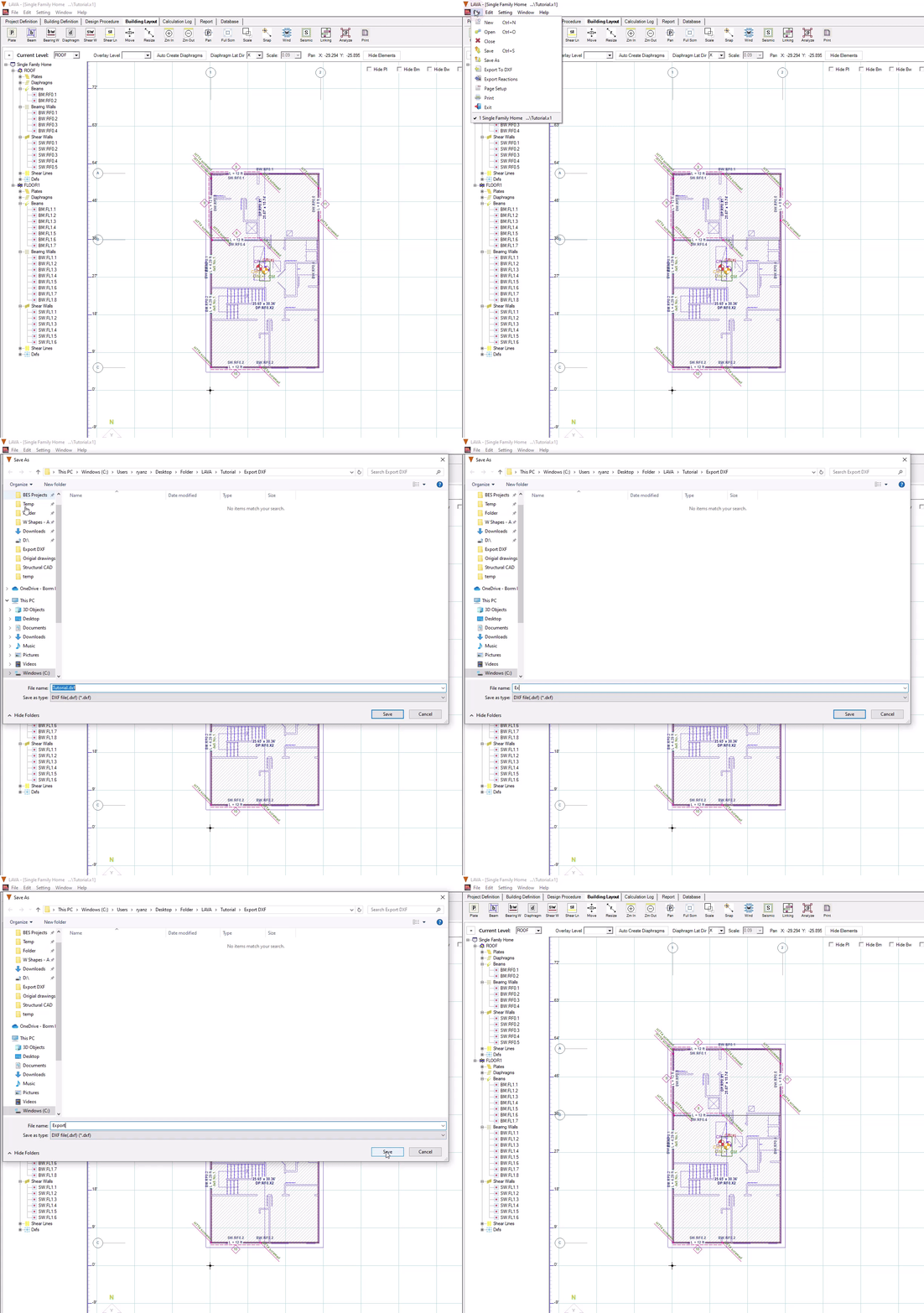
LAVA will generate one DXF file for each level. For the file of this tutorial, there are two files created: ROOF and FLOOR1.
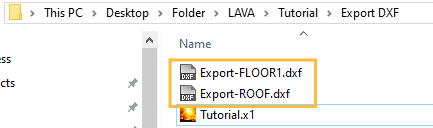
Result
The DXF files have a layer for each type of element:
.png)
For your reference, the exported DXF files are shown below.
.png)